
Finds gems by itself
A growing spiral around your city, remembering what it has already scanned.
For Rise of Kingdoms · PC
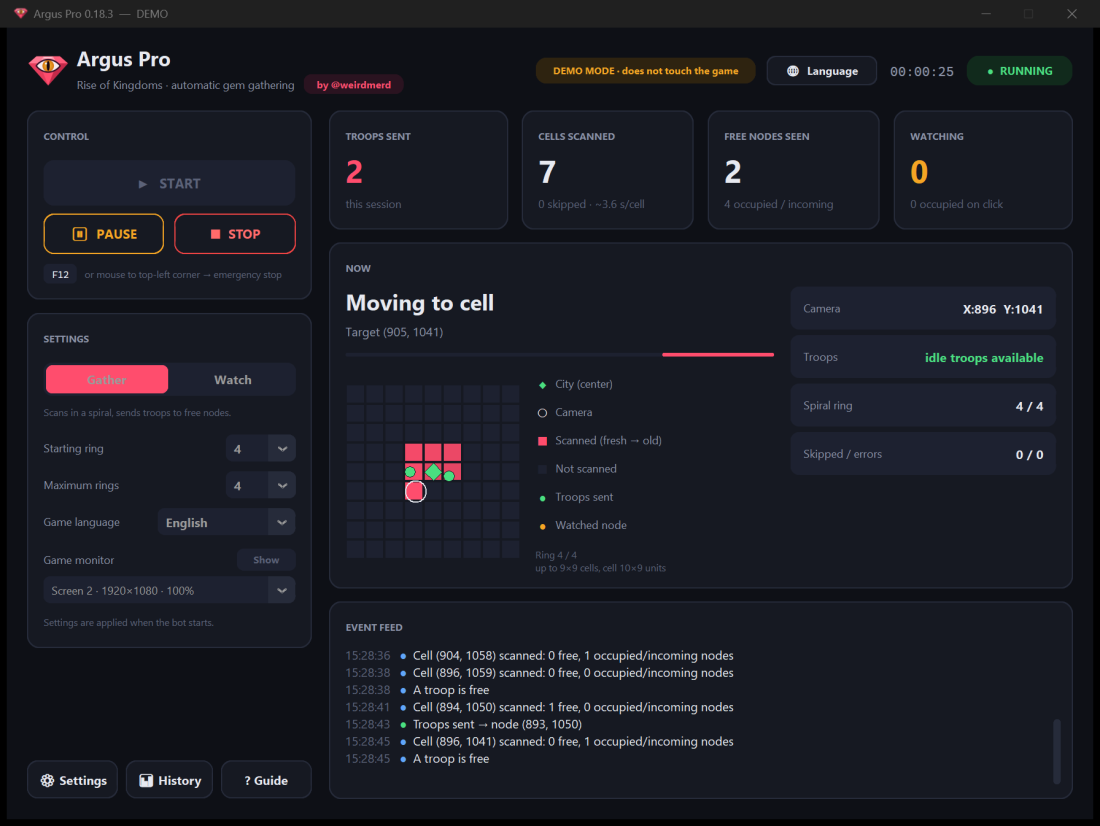
Argus Pro scans the map around your city, finds free gem deposits and sends your idle troops to gather them — on its own.
How it works
Start it, leave it. Argus Pro works the map the way you would — just without getting tired.
Goes out from your city and scans the map cell by cell in a growing spiral.
Recognises free gem deposits and skips the ones already taken or targeted.
Sends an idle troop. All troops out? It remembers the deposit and returns the moment one frees up.
Features
A growing spiral around your city, remembering what it has already scanned.
Jumps across the map with the coordinate search instead of slowly scrolling.
No free troop? The deposit is remembered and revisited as soon as one returns.
Closes unexpected windows, waits out disconnects and carries on. If it can't, it stops and tells you why.
Only presses gathering buttons — never attack or purchase. F12 stops it instantly.
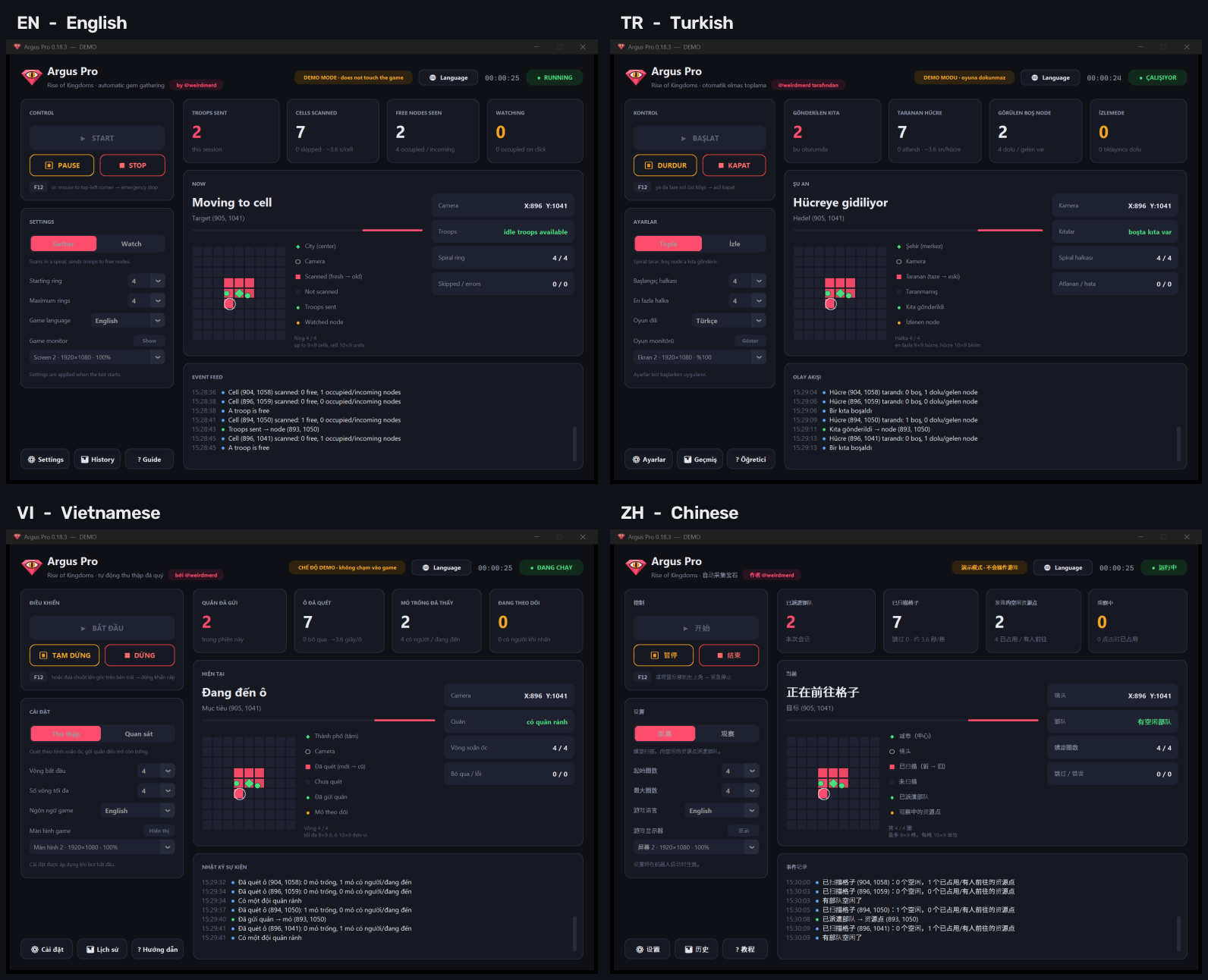
From 1366×768 up. Panel in English, Türkçe, Tiếng Việt and 中文.
Plays like a player
Argus Pro never touches the game itself. It looks at the screen and uses the mouse and keyboard — with the small imperfections of a real person.
No tool can promise zero risk, and neither do we. Argus Pro is built to keep it as low as possible — the decision to use it is yours.
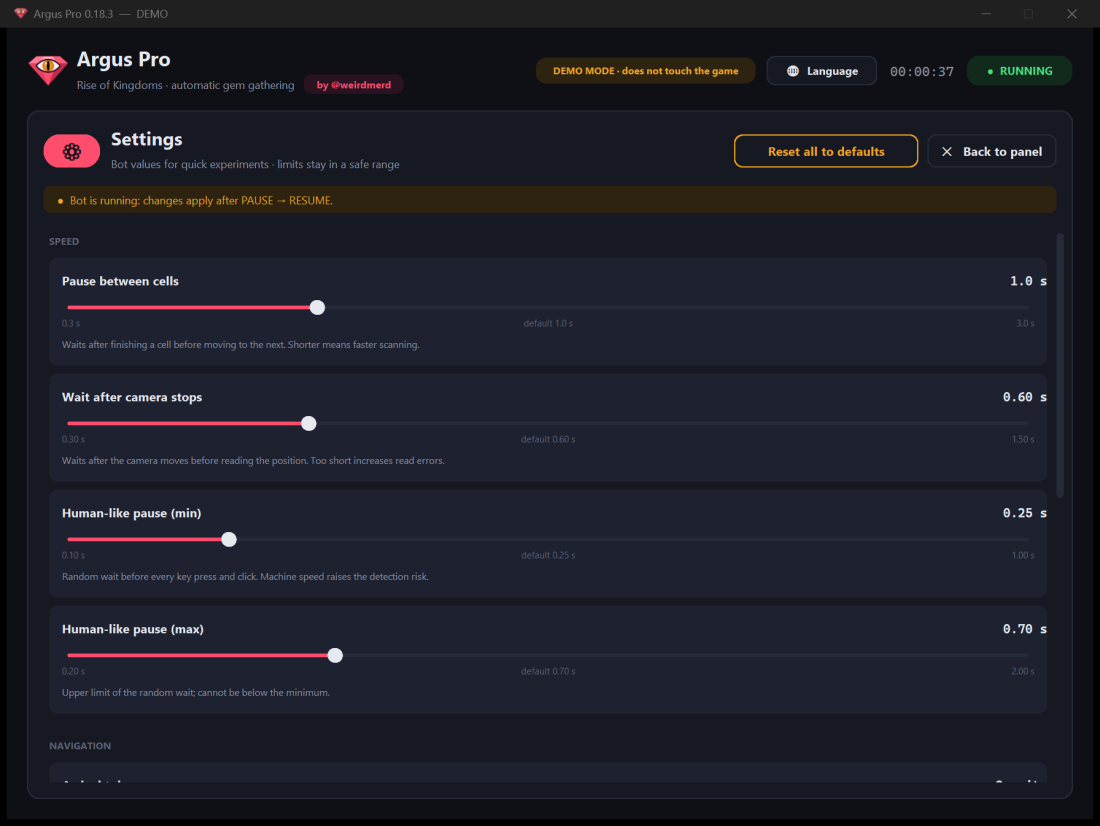
Every action waits a random moment first, so no two minutes look the same.
The cursor glides to its target instead of jumping, and each click lands a few pixels differently.
Keys are held for slightly different lengths each time, like a finger — not a machine.
No memory reading, no modified files, no network tricks. It only presses what you would press.
System requirements
The bot runs next to the game, so your PC carries both. The smoother the game runs, the faster Argus Pro works.
Runs, but slower
Smooth, all-night runs
The game should run smoothly on the map at Medium graphics. On slow PCs the game draws the map late — scanning slows down and deposits can be missed.
Setup
Click Yes when Windows asks for administrator permission — the game runs as administrator, so the bot must too.
Not a virus warning: Windows shows it for new programs that few people have downloaded yet. Click More info → Run anyway.
Argus Pro shows your machine code. Send it to @weirdmerd and paste the key you receive. The key works on that computer only.
FAQ
Argus Pro is new and not code-signed, so some antivirus products flag it as “suspicious” by default. Microsoft analysed an earlier release and found no malware. Every release lists its SHA-256 fingerprint so you can check your download.
Argus Pro is built to play like a person: random pauses, a moving cursor, varied clicks and no contact with the game's files or memory. That keeps the risk low — but no tool can make it zero. Rise of Kingdoms' rules may prohibit bots, and using one is your decision and your responsibility.
No. It only reads the screen and uses the mouse and keyboard, like you do. It collects no personal data and sends nothing anywhere.
Supported: the game runs at 1280×720. Set the Windows taskbar to hide automatically so the game window fits.
English or Turkish. The panel itself is available in English, Türkçe, Tiếng Việt and 中文.
Plans
Every plan has every feature and every update. At in-game store prices, a monthly plan can earn itself back in gems within the first few days.
3 daysfree
The full version — see it work before you pay.
Ask for your trial key:
$15/ month
Stay flexible, month by month.
Get the monthly plan:
$39/ 3 months
≈ {pm} a month · save 13%
Get the 3-month plan:
Each license works on one computer. Message us with the plan you want — payment details come in the reply.